One combination for every size
2 widths × 25 lengths × 4 thicknesses is 200 combinations to create, price and keep up to date.
With MeasureCalc Pro: one form with the widths, the lengths and the price per m².MeasureCalc Pro adds a price calculator by the m² or linear metre to the product page. Widths, lengths, colours, thicknesses, minimums and quantity discounts: the customer sees the total instantly, and the measurement goes through to the cart, the order and the invoice.
PrestaShop is built for products with a fixed price. If you sell by the metre, you end up with one of these three problems.
2 widths × 25 lengths × 4 thicknesses is 200 combinations to create, price and keep up to date.
With MeasureCalc Pro: one form with the widths, the lengths and the price per m².If customers can't see what their size costs, they email you to ask… or they go to another shop.
With MeasureCalc Pro: they see the total on the product page as they type.You charge for "one unit" and then have to find out what size the customer actually wanted.
With MeasureCalc Pro: "4 m × 7 m = 28 m² · Thickness: 17 mm" in the cart, the order, the invoice and the emails.Set up product by product, from the back office, with no code.
Width × length for surfaces, or just the length for profiles, mouldings, cables or tapes.
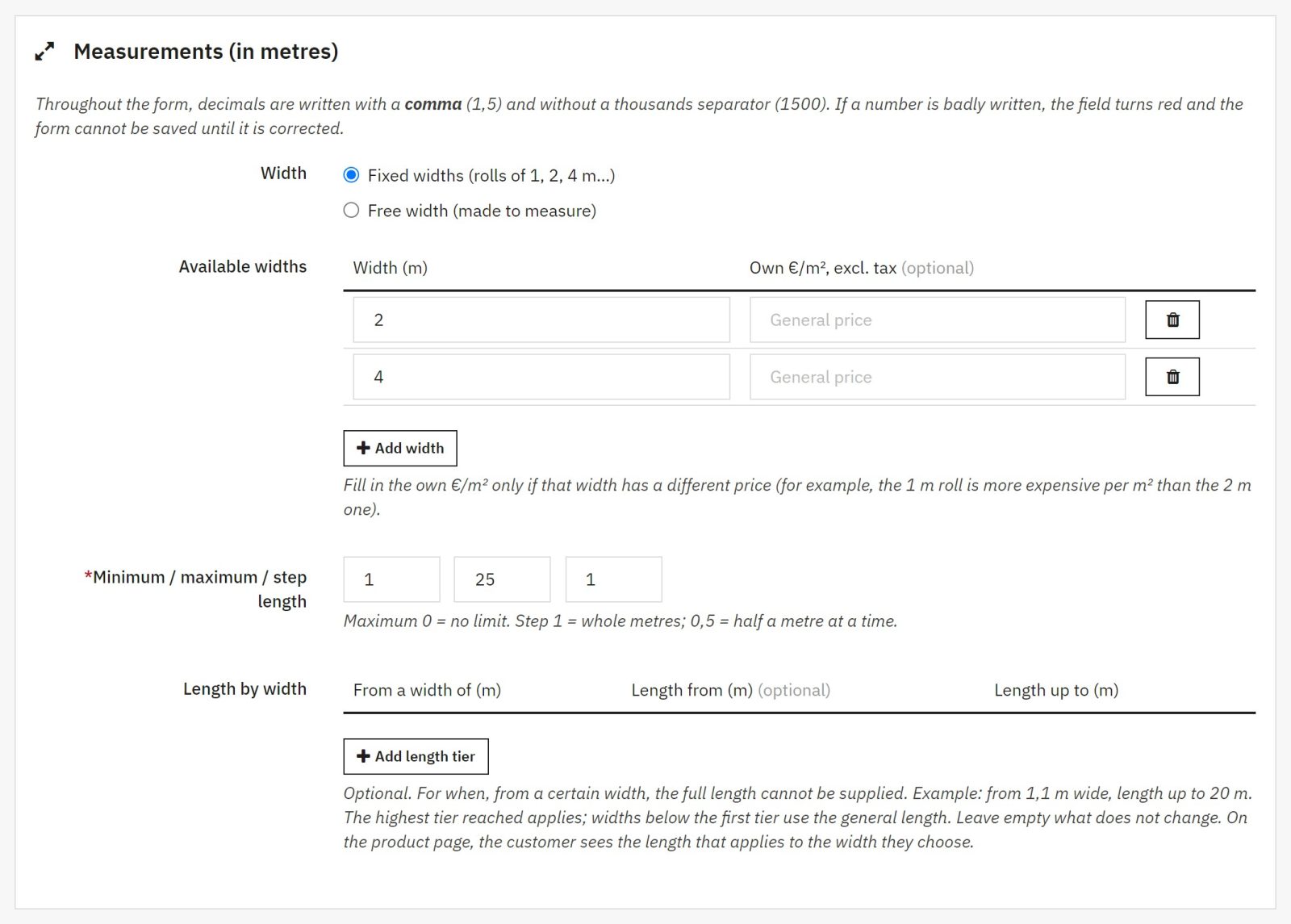
1, 2 or 4 m rolls, each with its own price per m² if needed. Or any width between a minimum and a maximum, rounded to your step (every 10 cm, for example).
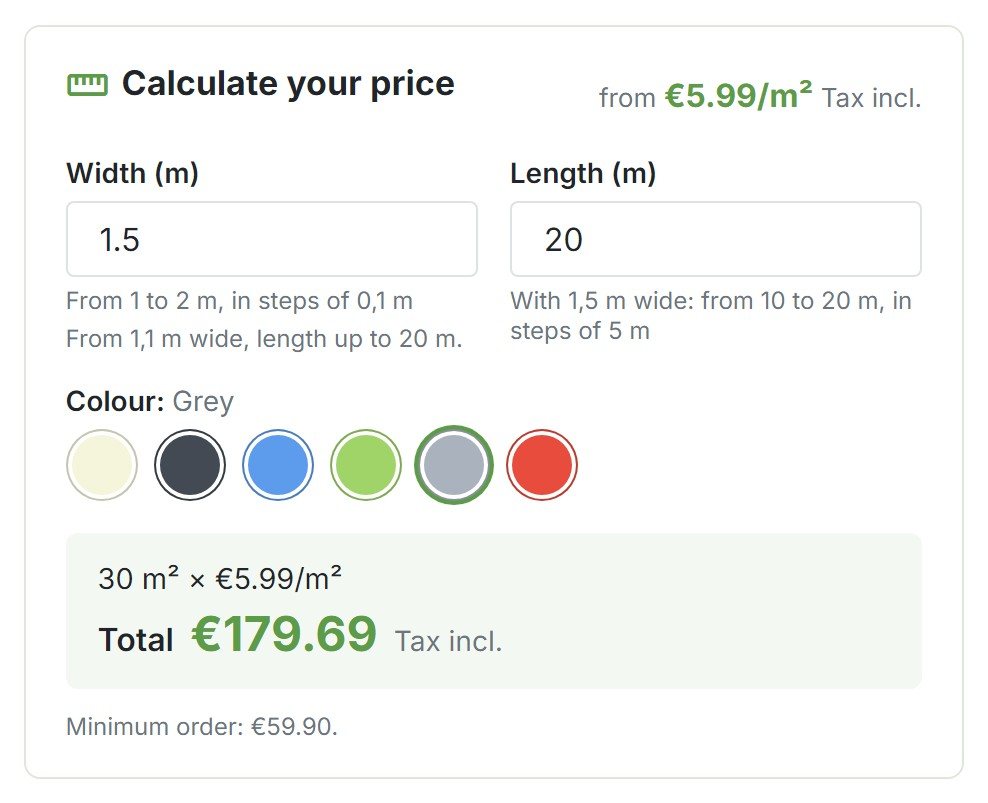
Minimum, maximum and step, plus a different length from a given width: "from 1.1 m wide, up to 20 m long".
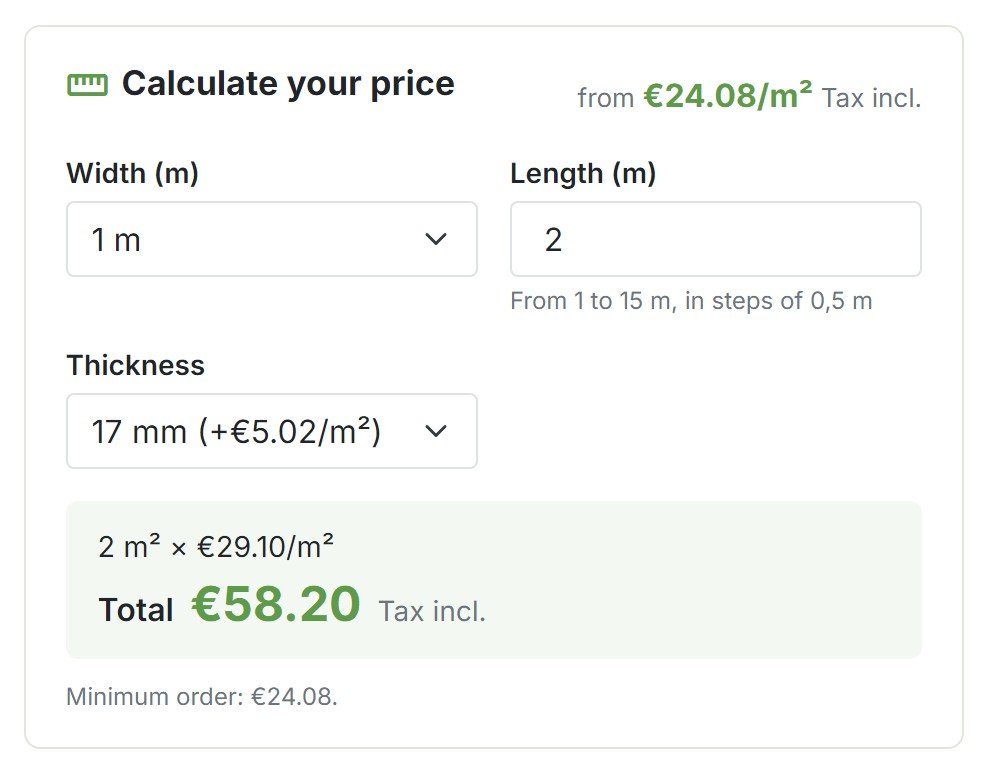
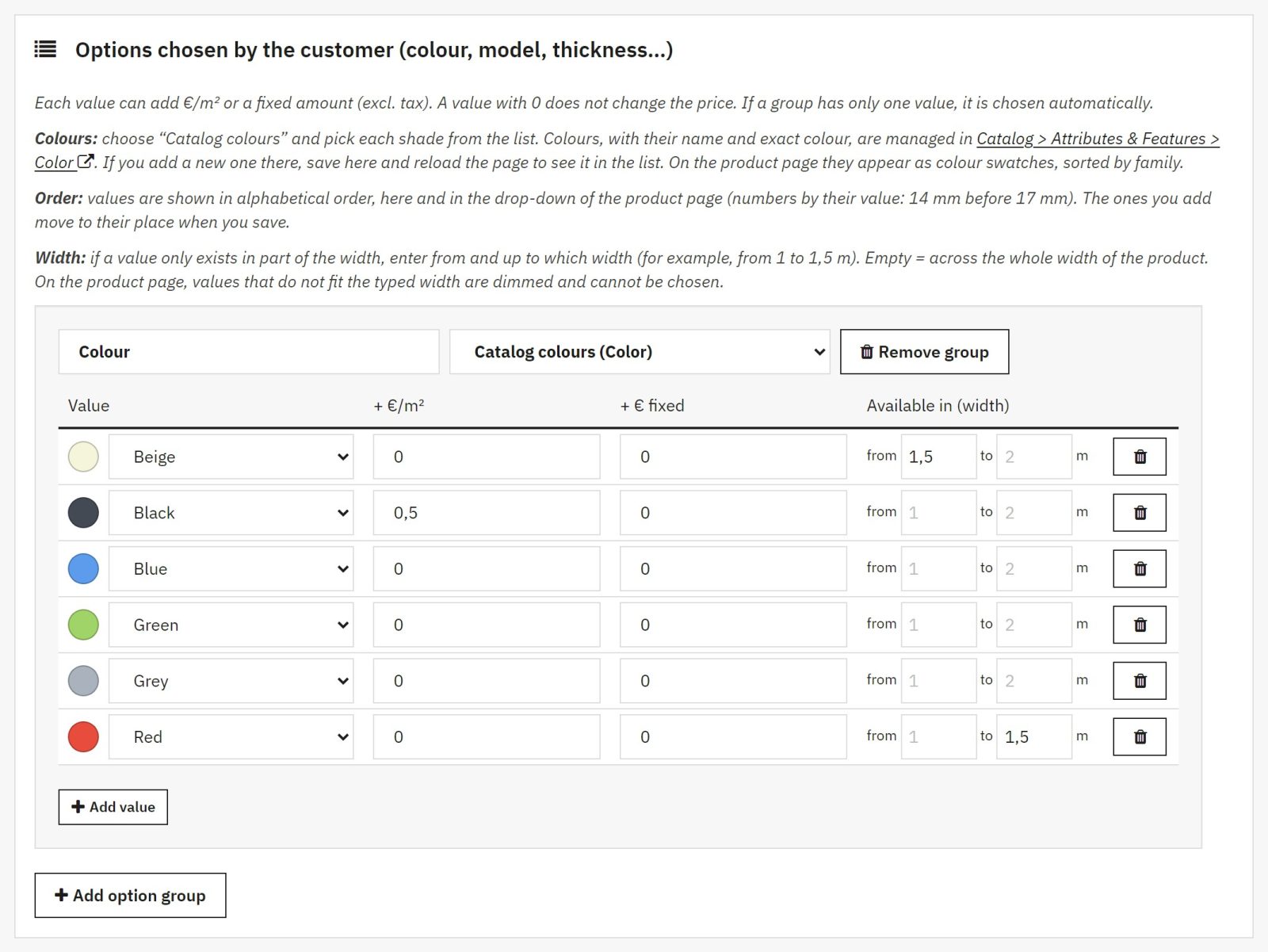
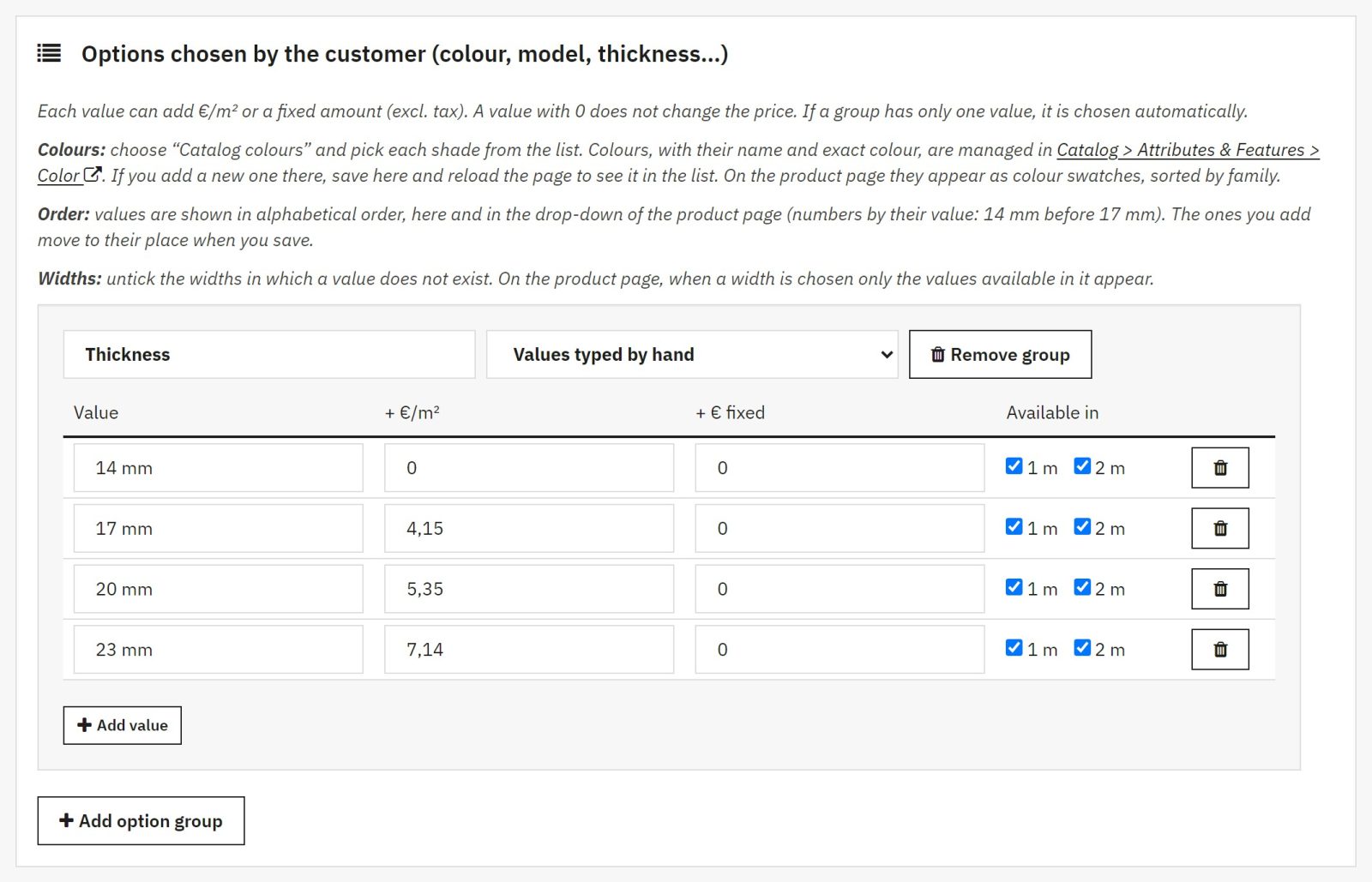
Thickness, model, finish… Each value adds an amount per m² or a fixed amount, and can also take money off for cheaper versions.
Your catalog colours appear with their exact shade, grouped by colour family. And each colour can be limited to the widths it comes in.
Minimum billable m² and a minimum price. On top of that, the product price always acts as a floor: no size ever sells below it.
Tiers such as "from 20 m², −10 %; from 40 m², −20 %". Customers see the discount before they buy.
A tick box so the customer can add an extra percentage for cuts and fitting. You choose the percentage, or whether to offer it at all.
A weight per m² that is added to the product weight, so shipping is worked out on what you actually send.
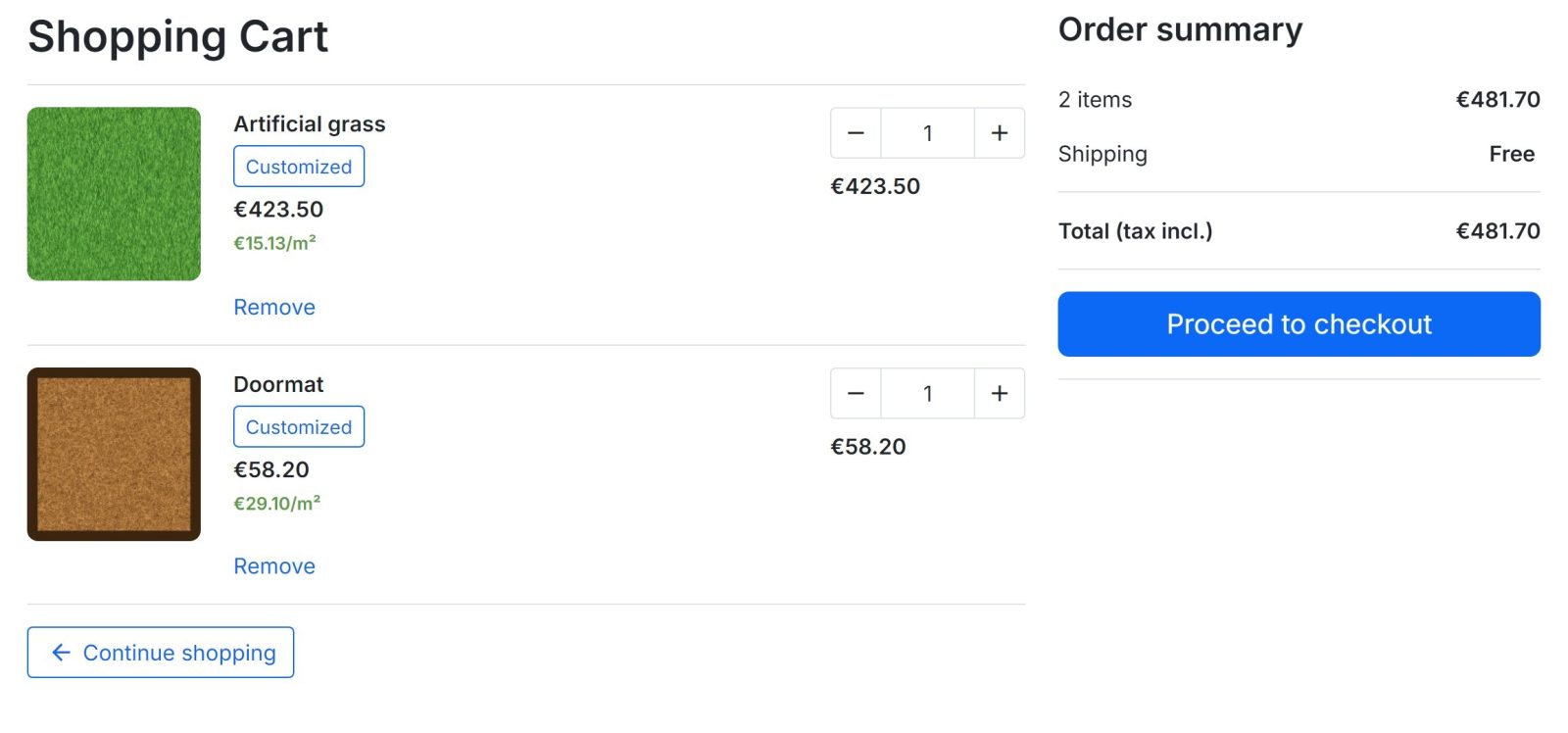
Cart, order, invoice and emails carry the full measurement, and each cart line shows its real price per m².
The total is worked out by your server, not the browser. And there are no overrides: no PrestaShop file is changed.
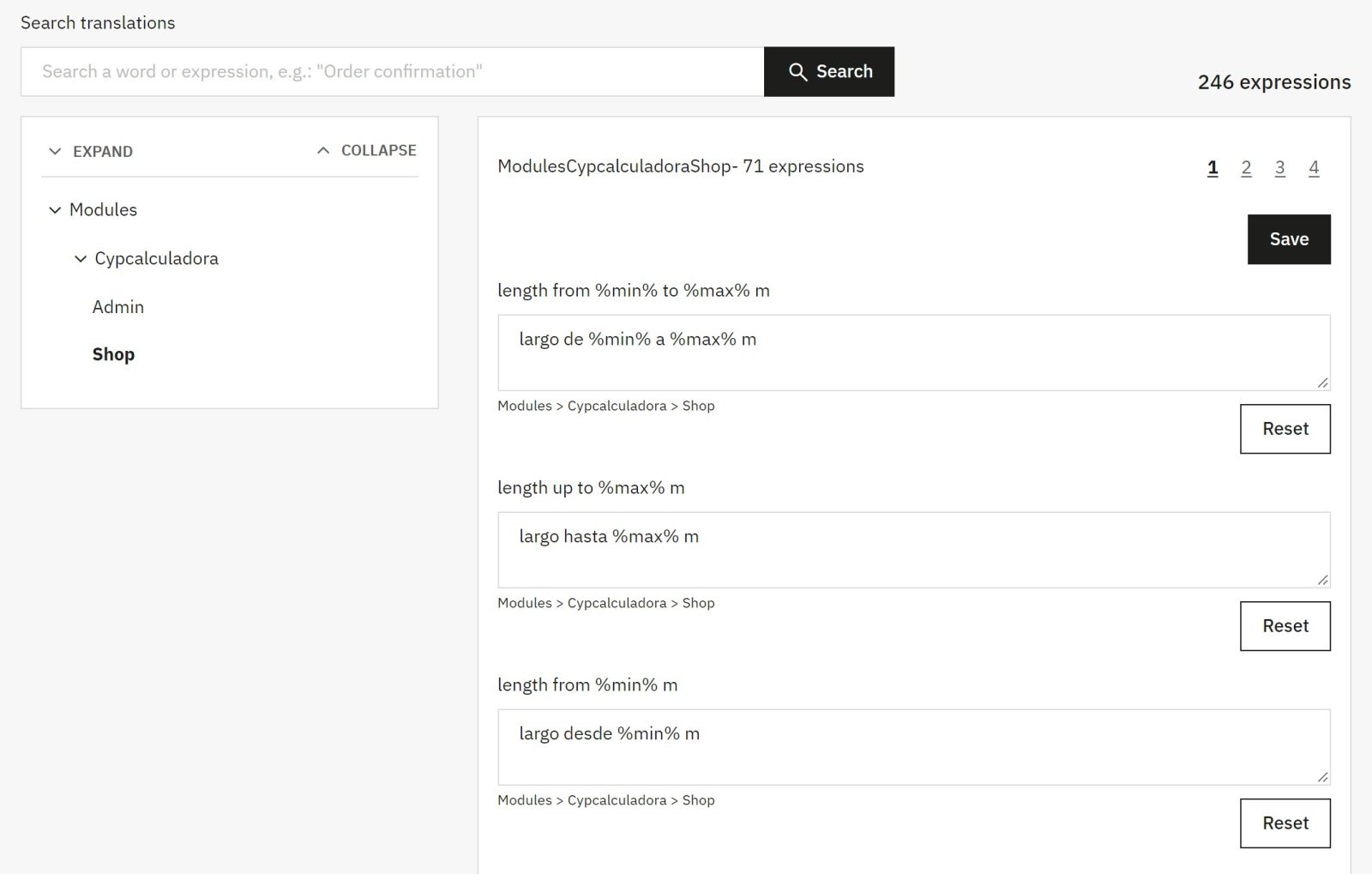
English source texts and a full Spanish translation for Spain, Argentina, Colombia, Mexico, Peru and Venezuela. Any text can be changed in International → Translations.
The "Calculate your price" block appears above the add to cart button on its own, in your theme's style.
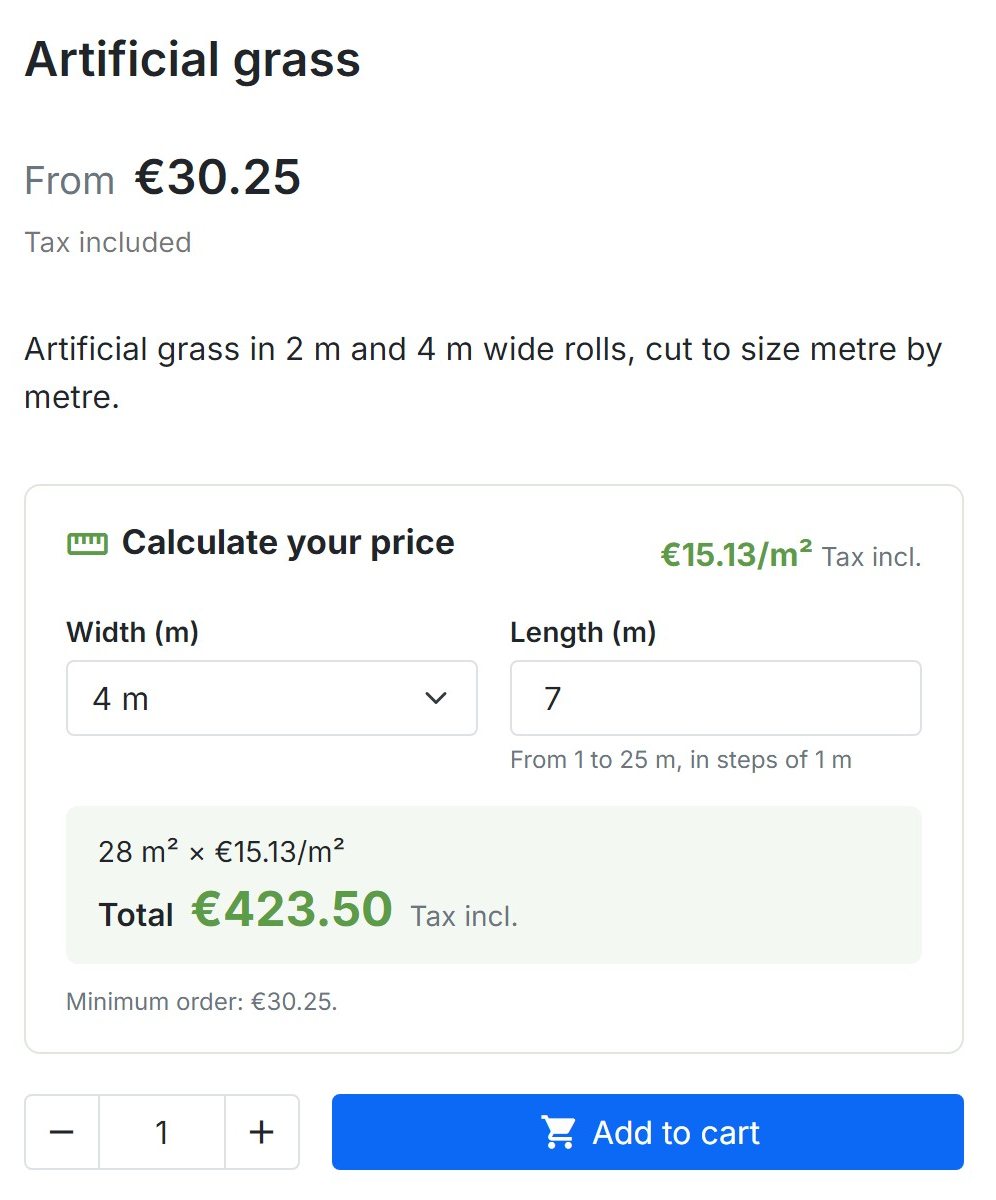
Artificial grass at €12.50/m² + VAT, in 2 m and 4 m rolls. The customer picks 4 m wide and types 7 m long:
28 m² × €15.13/m² = €423.50 incl. VAT
And the order says: "4 m × 7 m = 28 m²".
All in Catalog → MeasureCalc Pro. No formulas, no code and no combinations. Click any screenshot to see it full size.
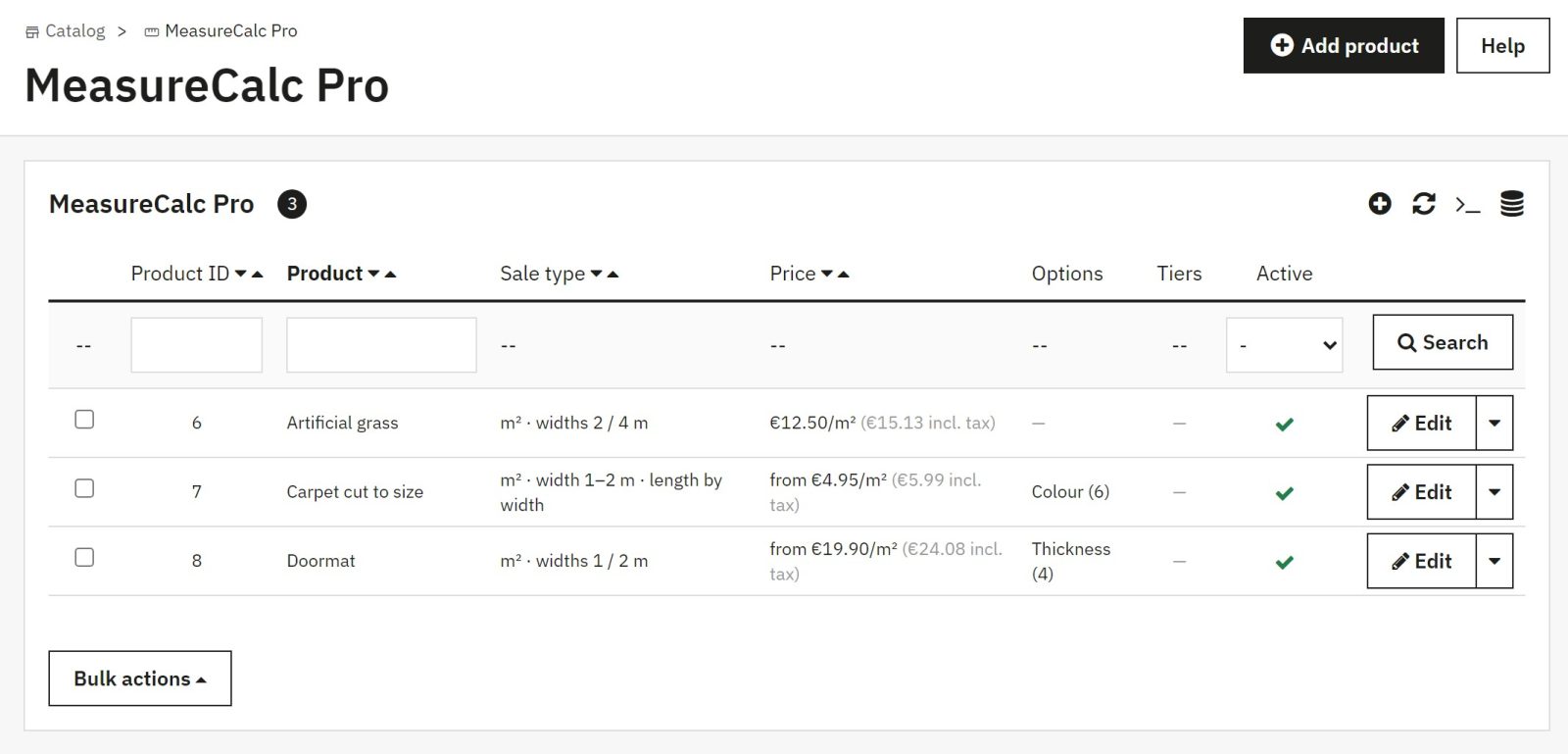
Click "Add product" and pick the one you want to sell to measure. The list shows at a glance how each one is sold, its price per m² and whether the calculator is active, which you switch on and off with one click.
Fixed or free widths, minimum, maximum and step for the length, and the price per m². The price including VAT appears on the right as you type.
Colours from your catalog or values you type in, each with its surcharge and the widths it comes in. They sort themselves: 14 mm before 17 mm.
Pricing mistakes are expensive. That's why the form catches them before saving.
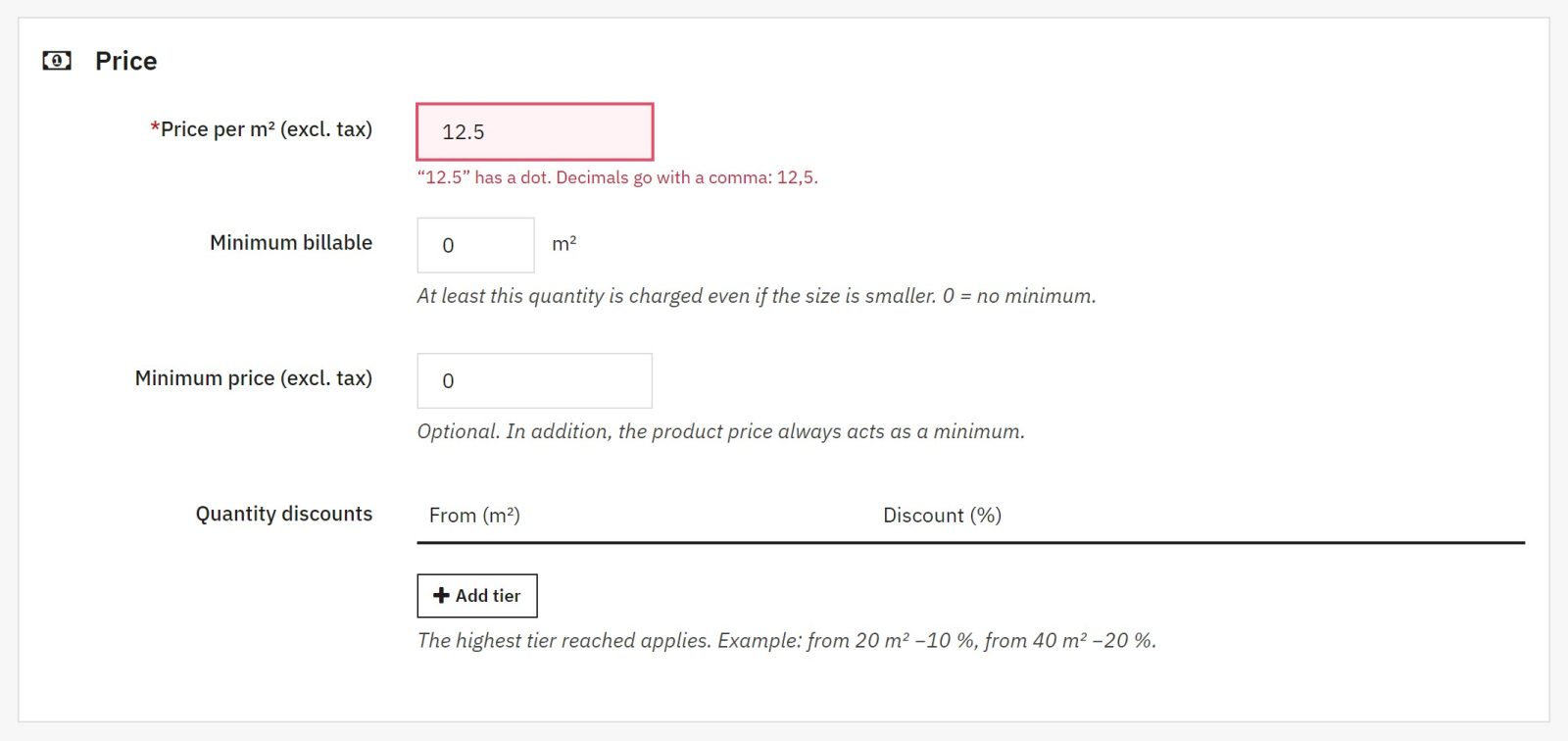
On top of that, if a limit doesn't fall on your step, it is corrected automatically on the safe side and you are told what changed. And it won't let you enable the calculator on products with combinations.
Version 1.5.0, tested on PrestaShop 8.2.9 and 9.2.1 with the themes they ship with.
Install the module, set up your first product in a few minutes, and your customers can already work out and buy their size.

Price on request
Email us with your PrestaShop version and we'll reply with the price and how to pay.
Order MeasureCalc Proor email us at info@digitalplaysolutions.es
It works on PrestaShop 8.0 or later and on PrestaShop 9, with whatever PHP your version requires (from PHP 7.2). It has been tested on PrestaShop 8.2.9 and 9.2.1, with the Classic and Hummingbird themes. It does not install on PrestaShop 1.7.
No. It uses no overrides: it works with PrestaShop's own hooks and product customizations, which the module switches on when installed because they are what stores the measurement in the cart and the order.
No, on purpose: the cart would add the combination price to the calculated one. Options such as colour, thickness or model are set up in the calculator itself, with their surcharge. The back office won't let you enable it on products with combinations and flags them so you can see them.
PrestaShop counts pieces, so each size added to the cart is one unit of the product. Give it stock in pieces, or allow orders when out of stock.
Specific prices and catalog price rules are applied in the cart, but the calculator on the product page shows the price without them. For quantity discounts, use the module's own discount tiers, which the customer sees on the product page.
No. Without a valid size and the required options the product can't be added to the cart, whether from the product page, product lists or quick view: the customer is taken to the product page to enter them.
Customers can type 1.5 or 1,5 in the calculator, and prices follow your shop's format (€15.13). The calculator's help texts and the back office, however, use a decimal comma (1,5) in every language.
The source texts are in English, and the module includes a full Spanish translation for Spain, Argentina, Colombia, Mexico, Peru and Venezuela. You can translate it into any other language, or change any sentence, from International → Translations.
The calculators stay in the database, so if you install it again they are still there. Past orders keep the size the customer ordered.
Your customer enters the size, sees the price and buys. You get the order with the exact measurement.
Get MeasureCalc Pro